
BIOS Setup (Wake-on-LAN)
To use Wake-on-LAN, your BIOS needs specific settings enabled. The exact names vary by brand, but here's what to look for.
What to look for
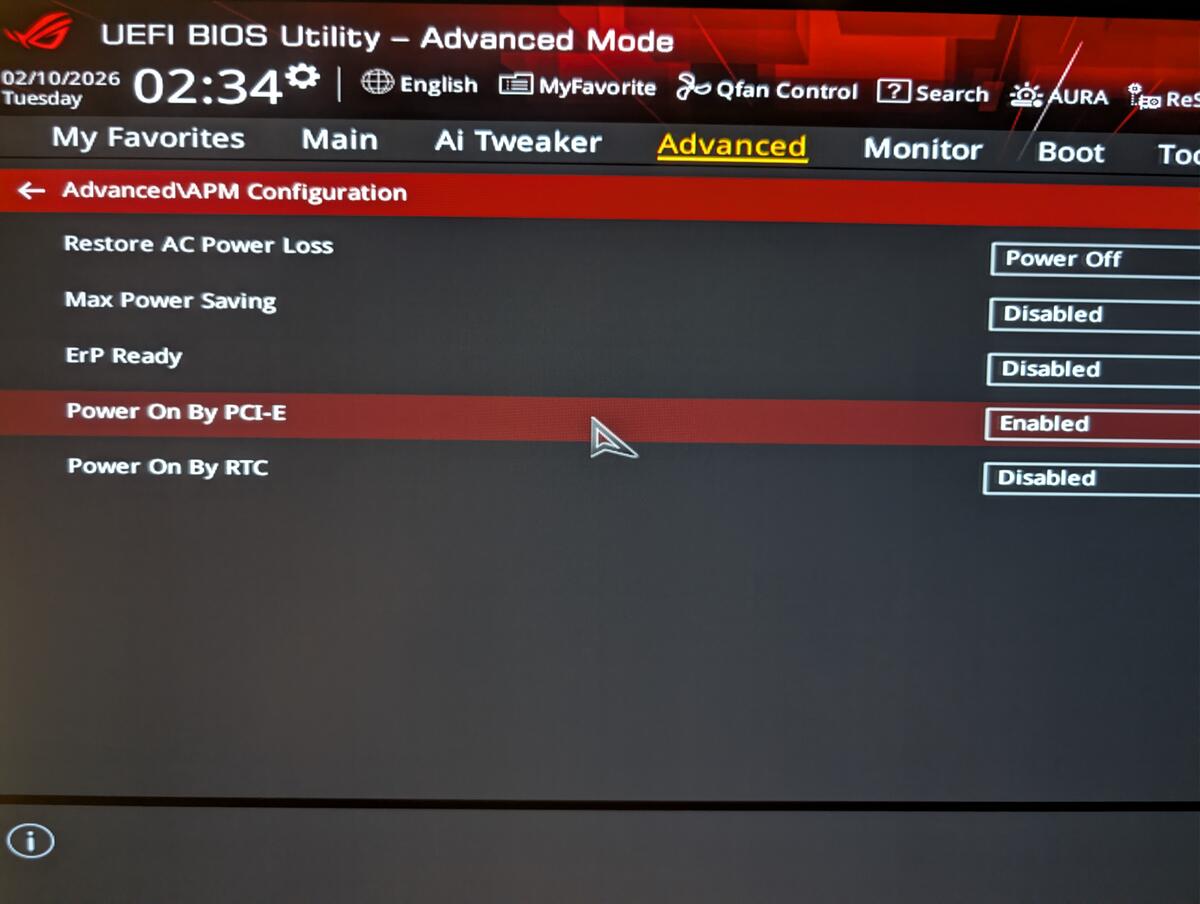
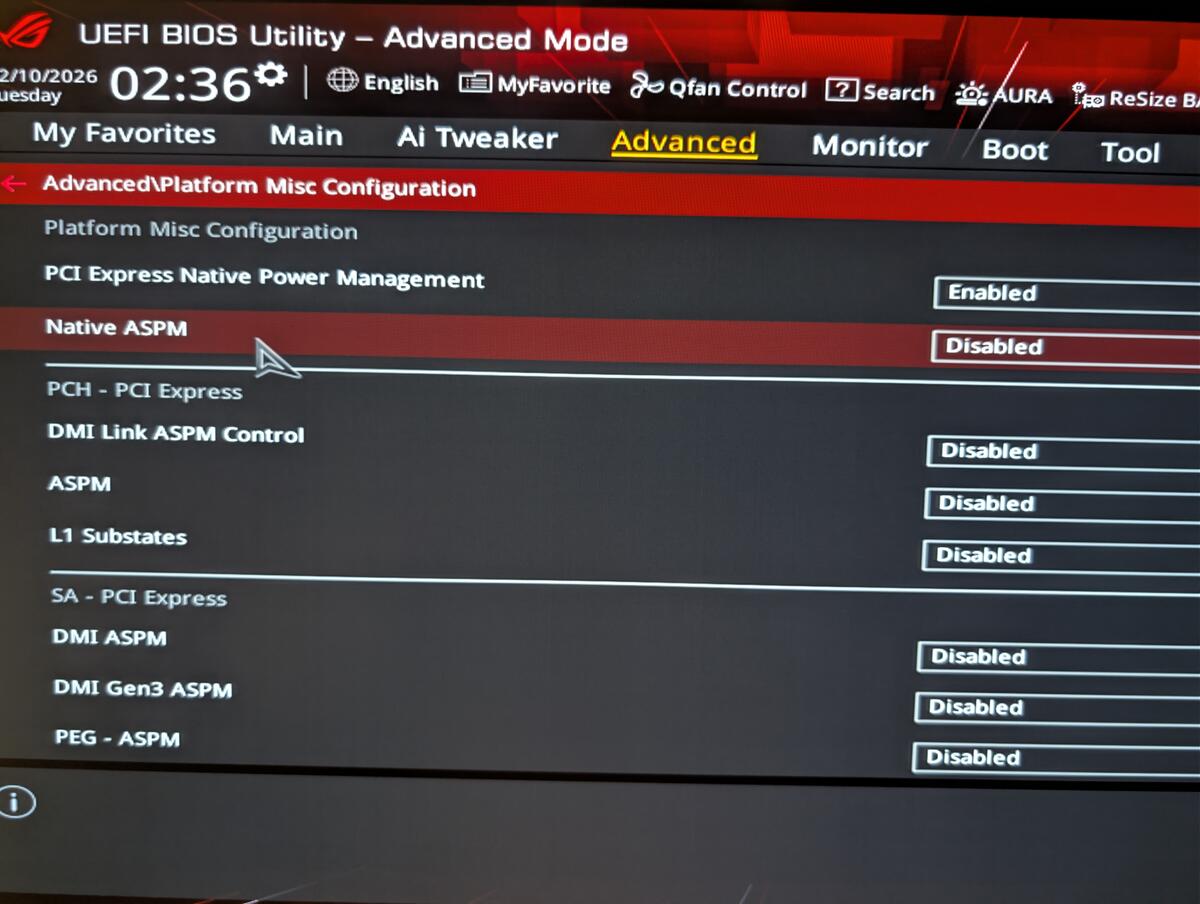
Look for these settings (names vary by brand): "Wake on LAN", "Power On By PCI-E", "ErP Ready" (must be Disabled), "Resume by LAN", "Wake Up on LAN", "Native ASPM" (must be Disabled).
ASUS / ROG
These screenshots are from an ASUS ROG motherboard. Menu names and paths vary depending on your motherboard brand and model.
1. Enter BIOS by pressing DEL or F2 at boot, then switch to Advanced Mode (F7).
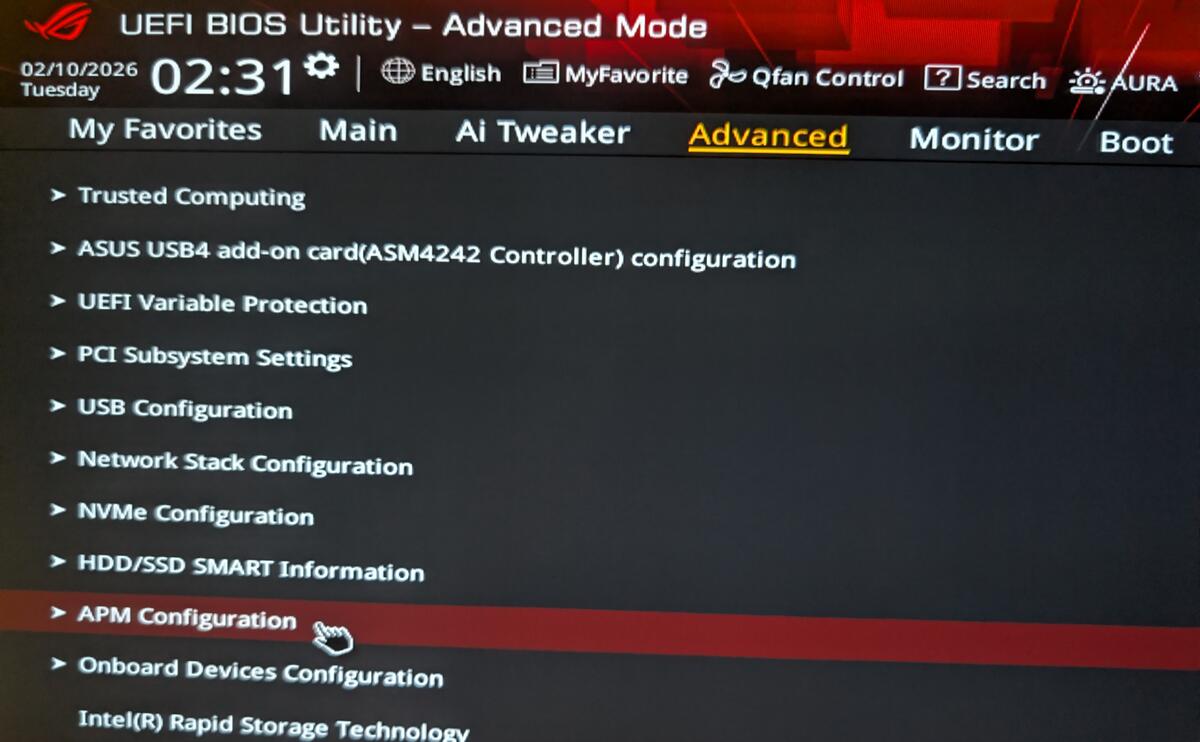
2. Go to Advanced > APM Configuration.
3. Set ErP Ready to Disabled and Power On By PCI-E to Enabled.
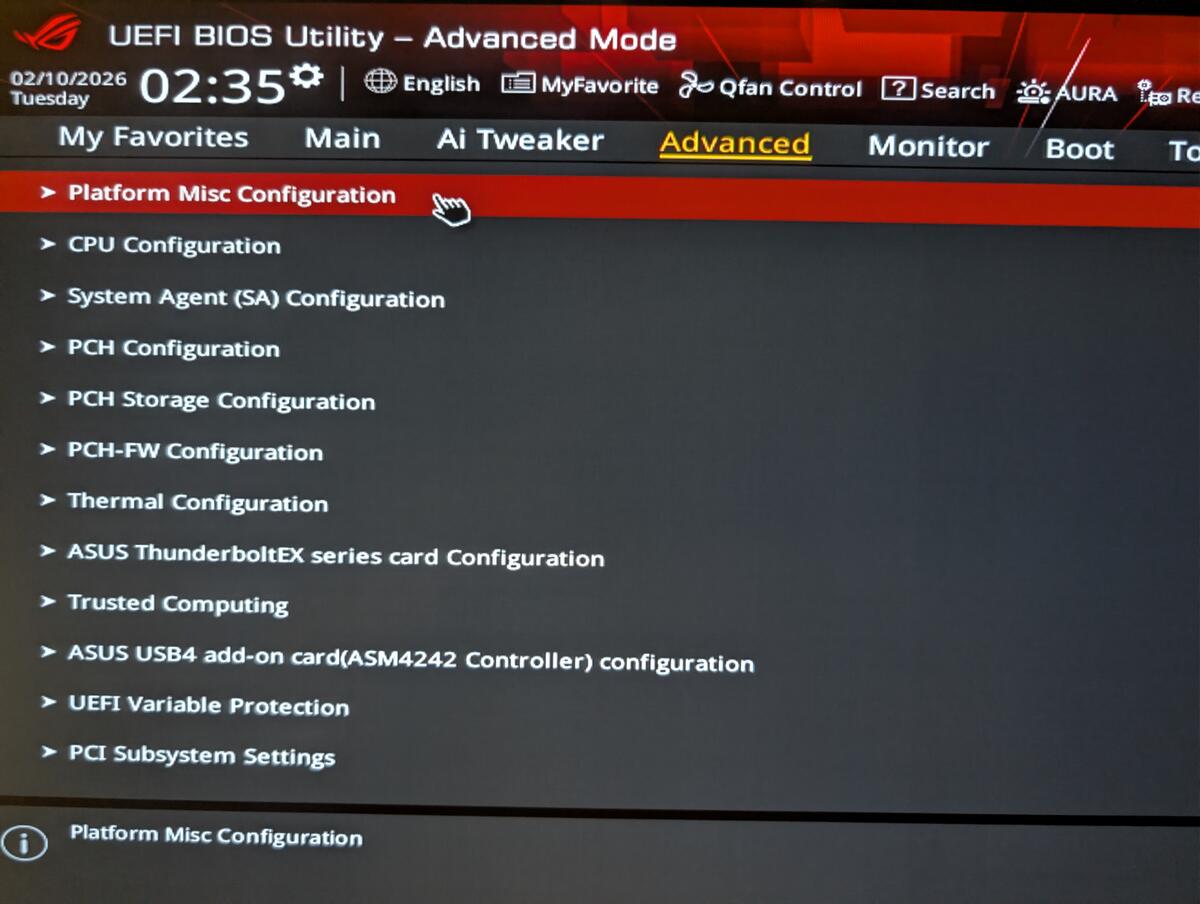
4. Go back, then go to Advanced > Platform Misc Configuration.
5. Set Native ASPM to Disabled.
6. Save and exit (F10).
Next steps
HUYNH Kevin
Creator of Chill